
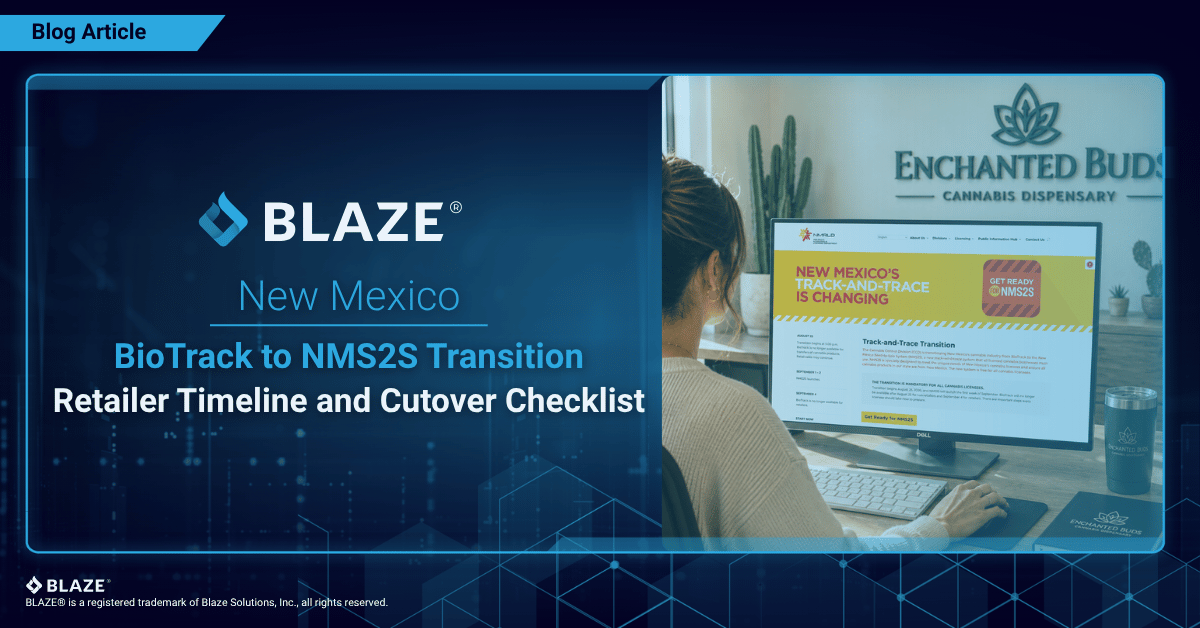
The NMS2S Cutover Is Scheduled for September 4, 2026
Last updated: August 20, 2026. Dates below reflect CCD’s current schedule and may change.
- New Mexico is currently scheduled to move retail cannabis reporting from BioTrack to NMS2S at 12:01 a.m. on September 4, 2026
- A working API connection does not prove a retailer can cut over safely
- Review the official NMS2S transition page before acting, because CCD may update dates or instructions
- BLAZE is validating its retail POS integration and recommends more time for end-to-end testing, staff training, inventory reconciliation, and contingency planning
- What is NMS2S?
- When is New Mexico switching from BioTrack to NMS2S?
- BLAZE’s position on the NMS2S rollout
- Why the September 2 to 4 overlap matters
- The BLAZE four-control cutover plan
- New Mexico retailer transition checklist
- What BLAZE is doing for New Mexico retailers
- Frequently asked questions about NMS2S
- BLAZE’s request to the Cannabis Control Division
- Official and first-party resources
CCD issued transition guidance on August 10, published the schedule on August 14, and released NMS2S training manuals on August 18. BioTrack is currently scheduled to stop accepting retail sales at 12:01 a.m. on September 4.
BLAZE is preparing its direct retail POS integration and working with CCD and groups such as CANM. The goal is a safer implementation process that gives operators and technology providers time to test, train, reconcile inventory, and provide feedback before BioTrack shuts down.
What is NMS2S?
NMS2S is New Mexico’s state-mandated cannabis track-and-trace platform replacing BioTrack, developed with Real Time Solutions for CCD. Vertically integrated retailers should also review the Producer Training Manual, Manufacturing Training Manual, and Testing Labs Training Manual for their other licensed activities.
After cutover, NMS2S will become the state’s system of record for regulated inventory and activity. Retailers will report directly or through an approved POS integration.
When is New Mexico switching from BioTrack to NMS2S?
Under CCD’s current schedule:
- BioTrack shuts down for non-retail licensees after 5:00 p.m. on August 25.
- Retailers may continue BioTrack sales but cannot receive inventory during the transfer pause, currently expected to last until September 2.
- Retail inventory migration begins at 12:01 a.m. on September 1.
- Retailers are expected to receive NMS2S access and resume receiving transfers on September 2.
- BioTrack is scheduled to turn off for retail sales at 12:01 a.m. on September 4.
- After cutover, all retail sales must be submitted through NMS2S, including via POS integrations.
BLAZE’s position on the NMS2S rollout
BLAZE supports modernizing state technology when the replacement has been documented, tested, and introduced with enough time for licensees to prepare.
The current timeline creates avoidable operational and compliance risk. BLAZE recommends extending BioTrack through a controlled validation period.
Four conditions should be met before statewide cutover:
- Retail POS integrations must be tested against real store workflows. An API connection proves systems can communicate, not that sales, voids, returns, discounts, purchase limits, inventory changes, and delayed transactions work safely at scale.
- Training must be role-based. Retail staff should review the Retailer Training Manual, system administrators the Organization Admin/Manage Users Training Manual, and inventory or compliance teams the workflow-specific manuals linked throughout this checklist. The manuals were published only seven days before the planned migration.
- Verify migrated inventory before normal operations resume. Because BioTrack is the migration source of truth, unresolved discrepancies can become NMS2S opening balances. Inventory teams should review the Inventory Rooms Training Manual before validating location-level balances.
- Every licensee should have a written fallback procedure. New Mexico rules separately require notification to the division, complete outage records, entry of activity after access is restored, and documentation of the outage. They also restrict transporting or receiving cannabis between establishments until reporting is restored. Transportation staff should review the Courier Training Manual.
Why the September 2 to 4 overlap matters
Under the current schedule, retailers begin receiving transfers in NMS2S on September 2 while sales continue in BioTrack until September 4. Retailers must reduce NMS2S inventory to account for BioTrack sales during that overlap.
That creates a reconciliation problem:
- NMS2S begins with the migrated retail inventory snapshot.
- Sales continue in BioTrack after that snapshot.
- New transfers may arrive in NMS2S.
- The retailer must account for post-snapshot BioTrack sales in NMS2S before the final cutover.
If a team does not separate these activity types by timestamp and system, the same unit can appear available in NMS2S after it has already been sold through BioTrack.
The BLAZE four-control cutover plan
Organize transition work around four controls: baseline, movement, exceptions, and signoff. Together they show what existed before migration, what changed, what failed, and who approved the final state.
Control 1: Establish the BioTrack baseline
Before the August 25 migration window:
- Run a Current Inventory report directly from BioTrack.
- Complete a physical count by location, room, and sales floor.
- Compare BioTrack with the inventory shown in BLAZE.
- Resolve incomplete transfers, outdated records, negative quantities, and other discrepancies according to applicable rules.
- Save the final reports with the date, time, location, and employee responsible.
Control 2: Maintain a transition movement ledger
Track every inventory movement after the final baseline until NMS2S reporting is verified. Staff responsible for product movement should review the Transfer/Manifest Training Manual before the transition window.
At minimum, record:
| Field | What to capture |
|---|---|
| Timestamp | Date and exact local time of the activity |
| System | BioTrack, NMS2S, BLAZE, or offline record |
| Activity | Sale, return, void, transfer, adjustment, waste, or other event |
| Product identifier | Package, batch, SKU, or other traceable identifier |
| Quantity before and after | The amount affected by the activity |
| Employee | Person who performed or reviewed the action |
| Reference | Receipt, transfer manifest, support ticket, or screenshot |
| Reconciliation status | Pending, matched, corrected, or escalated |
This BLAZE operational ledger supplements, but does not replace, state reporting. It creates an audit trail if BioTrack and NMS2S diverge.
Control 3: Separate exceptions from ordinary activity
Do not bury a failed sync or missing package inside a general inventory adjustment. Create an exception record and consult the Lifecycle Event Statuses guide when interpreting the status shown in NMS2S. The record should state:
- what the operator expected to happen;
- what BioTrack, NMS2S, and BLAZE each displayed;
- when the difference appeared;
- whether the activity was retried;
- which screenshots, receipts, or manifests support the record;
- who was notified; and
- how the issue was resolved.
BLAZE compliance views show sync attempts, status, and timing. During the transition, verify that each submission reached the state system rather than assuming a completed sale did.
Control 4: Require location-level signoff
Before treating a store as fully cut over, require a named manager or compliance lead to confirm:
- the expected inventory is visible in NMS2S;
- post-snapshot BioTrack sales have been reconciled;
- pending transfers are accounted for;
- the NMS2S administrator and user accounts work;
- the store can complete and verify a POS-reported sale in NMS2S;
- exceptions have owners and written records; and
- the offline procedure is available at every register.
For multi-location operators, require separate signoff for each license and store. One successful location does not validate every credential, inventory balance, or configuration.
New Mexico retailer transition checklist
Before August 25
- Reconcile physical, BioTrack, and BLAZE inventory; then save the BioTrack Current Inventory report.
- Resolve pending manifests and incomplete transactions.
- Stop sending or accepting retailer-to-retailer transfers through BioTrack after 5:00 p.m. on August 25, 2026, under the current CCD schedule.
- Confirm the primary controlling person, business email, and initial NMS2S administrator in NM-PLUS.
- Review purchasing needs for the anticipated transfer pause.
- Create the transition movement ledger and exception log.
- Print or distribute the store’s offline sales procedure.
Before the currently scheduled migration on September 1 at 12:01 a.m.
- Complete a final retail inventory synchronization with BioTrack.
- Save timestamped BioTrack and BLAZE inventory reports.
- Record every activity that occurs after the migration snapshot.
When NMS2S access becomes available
- Confirm the correct licenses and locations appear.
- Confirm administrator access and create role-appropriate users.
- Compare migrated NMS2S inventory with the saved BioTrack baseline.
- Separate migrated inventory, post-snapshot BioTrack sales, and new NMS2S transfers.
- Document missing, duplicated, or incorrectly classified inventory before making corrections.
Before the currently scheduled cutover on September 4 at 12:01 a.m.
- Reconcile all BioTrack sales made after the retailer inventory snapshot.
- Confirm current NMS2S inventory matches physical inventory.
- Verify the BLAZE connection using a controlled test transaction when instructed and available.
- Confirm staff know which system is authoritative after cutover.
- Escalate unresolved discrepancies in writing before BioTrack is turned off.
What BLAZE is doing for New Mexico retailers
BLAZE is developing and validating its direct retail POS integration with NMS2S to keep front-of-house sales and state reporting aligned while making submission problems visible.
BLAZE already supports New Mexico retailers with BioTrack sales reporting, inventory synchronization, purchase-limit controls, sync visibility, and failed-transaction review.
Licensees remain responsible for accurate state records. BLAZE’s role is to reduce manual work, expose data movement, and flag transactions that need attention.
Frequently asked questions about NMS2S
Yes. The New Mexico Cannabis Control Division is replacing BioTrack with NMS2S as the state-mandated cannabis seed-to-sale tracking system.
Retail inventory migration is currently scheduled for September 1, access for September 2, and full retail cutover for 12:01 a.m. on September 4. Verify the live CCD page before acting.
Under the current schedule, retailers may continue BioTrack sales through September 3. Sales after 12:01 a.m. on September 4 must be reported through NMS2S, including via POS integrations.
Retailers are expected to be unable to receive inventory after the August 25 non-retail shutdown until NMS2S access is available. Plan purchasing and stock levels before the pause.
No. BioTrack accounts will not migrate. The primary controlling person in NM-PLUS is expected to become the initial NMS2S administrator and create other users.
BioTrack is the migration source of truth. Reconcile physical inventory, BLAZE, and the BioTrack Current Inventory report before migration.
BLAZE is building and validating a direct retail POS integration. Setup and availability instructions will be shared as testing and state guidance progress.
If track-and-trace access is lost, notify the division, keep complete activity records, enter that activity after access returns, and document the outage. Transporting or receiving cannabis between establishments is restricted until reporting is restored.
Document the issue with timestamps, transactions, affected products, screenshots, and actions taken. Report compliance issues to CCD and POS or integration issues to BLAZE Support.
BLAZE’s request to the Cannabis Control Division
BLAZE is asking the CCD to:
- extend BioTrack availability through a controlled validation period;
- give retail POS providers enough time to test common transactions and exceptions;
- publish clear reconciliation instructions for the September 2 to September 4 overlap;
- establish a direct technical escalation process for integration providers;
- provide licensees with written protection and procedures for documented system failures; and
- include operators and technology providers in final cutover decisions.
The goal is a measured transition that avoids inaccurate inventory, interrupted sales, and preventable compliance exposure.
New Mexico NMS2S resource hub
Bookmark this section. It collects every official CCD resource and BLAZE tool for the transition in one place, and it is updated as the state publishes new guidance.
NMS2S training manuals, by role
Review the manuals that match each employee’s license type and role before using NMS2S.
For vertically integrated operators
Official CCD updates
Related Resources
Operating in New Mexico?
BLAZE supports New Mexico retailers through the NMS2S transition with sync visibility, reconciliation tooling, and a validated POS integration in progress.
See BLAZE for New Mexico Dispensaries →